
Connecting your Ancestry account to MyCanvas is one of the most satisfying moments in the whole process. Years of research, suddenly available in a format you can actually give someone. Before you dive in, here is what to expect so you can make the most of what transfers and avoid the surprises that catch people off guard.
It is a snapshot, not a live connection
This is the most important thing to understand before you start. MyCanvas pulls the relevant information from your tree at the moment you sync a new project. If you go back to Ancestry afterward and add a photograph, correct a date, or attach a new record, those changes do not automatically appear in your project. You are working from a snapshot, not a live feed.
If you know your tree still needs cleanup, do that work in Ancestry first. Then sync. You can also make manual updates at any time on MyCanvas.
What actually comes over
You choose a tree, a starting person or couple, a direction (ancestors, descendants, or a combination), and a number of generations. MyCanvas then pulls that specific information from your Ancestry account.
For each person in that information pull, you get all name variants, birth and death dates including approximate ones written exactly as you entered them ("abt 1850" comes over as "abt 1850"), every fact and event on the profile, and relationship data including parents, spouses, children, and siblings. The profile photo, including the crop Ancestry uses, transfers as well.
Beyond individual profiles, the tree's full photo gallery is available for photo pages. Record hints attached to each person are fetched separately and include the record image, collection title, source citation, and indexed fields. Birthdays, death anniversaries, and wedding anniversaries feed directly into the calendar product.
What does not come over
The following types of user contributed content are not automatically pulled in: stories, notes, documents, audio, video, DNA results, and non-record sources like web links or personal citations do not transfer. If you have written stories attached to profiles in Ancestry, those will need to be added manually, but once this is done, those files can be accessed anytime on your MyCanvas accountPlan for some extra time to get this done right.
Custom dates and special events — baptisms, adoptions, graduations, meaningful milestones — also need to be entered in Ancestry before you sync if you want them to appear in your book. If those events matter to your project, add them first.
A few things worth knowing before you start designing
Approximate dates print correctly on book pages, but the calendar may not include any event without a complete day, month, and year. If calendar accuracy matters to you, check your dates in Ancestry before syncing.
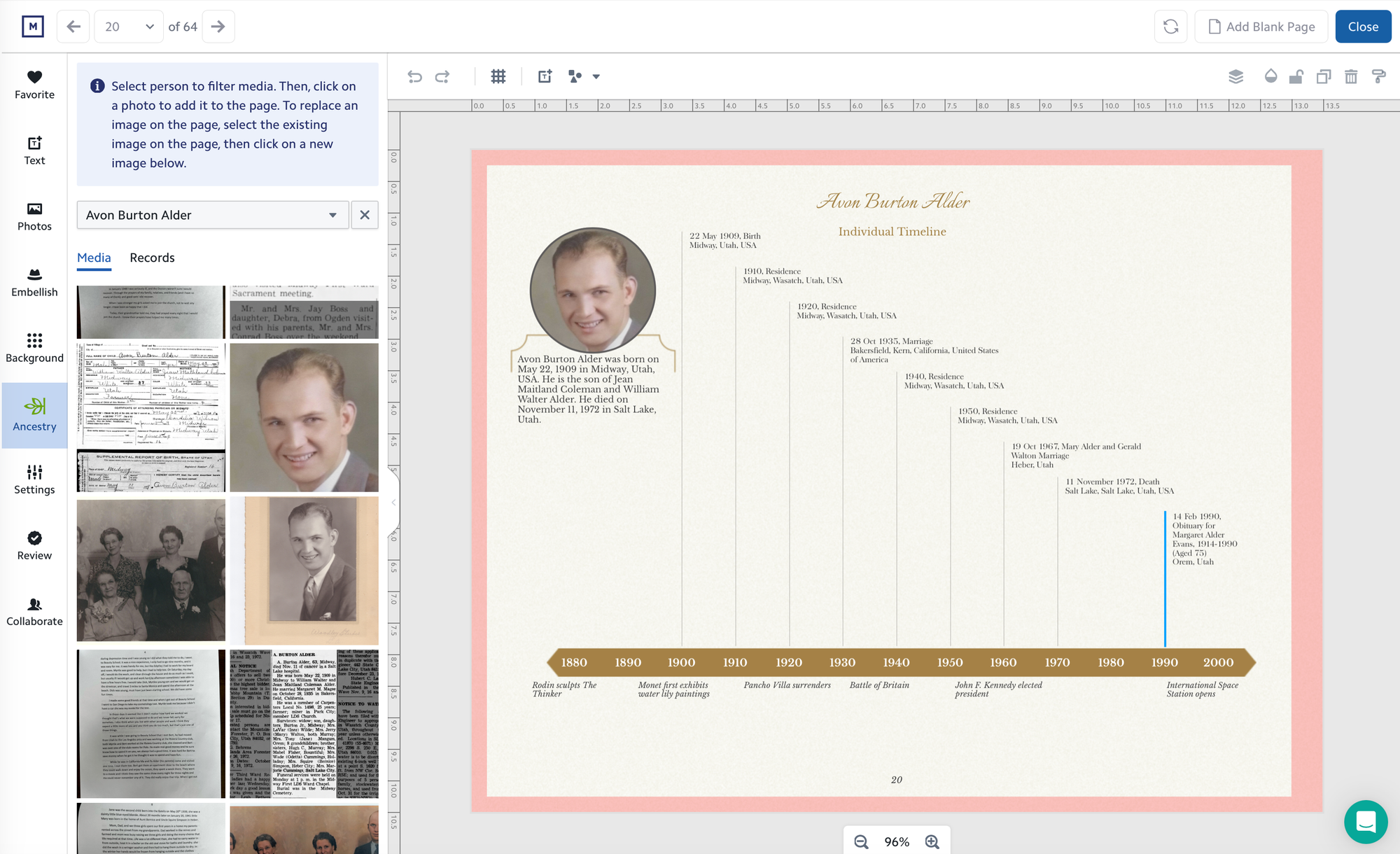
Timelines have thirteen slots per person and prioritize birth, marriage, and death. People with busy, well-documented lives will lose some events in the bucketing. Review timeline pages for ancestors with a lot of records attached.
Record pages pull every indexed field and crop the record image into a fixed frame. Long records will likely need some manual trimming to read cleanly.
Cover and title text is auto-generated from the family names in your tree. It almost always needs to be rewritten. This is an easy step to make the work your own and give your hard work a “name”.
One more practical note: if you step away mid-session and come back, you may be asked to reconnect your Ancestry account. Session timeouts are the most common friction point in the process. This happens rarely, but keeping your login handy will help you get right back to work.
The mistake most people make
The most common misstep is expecting the import from Ancestry to produce a finished book. It does not. It produces a strong, personalized starting point. Dates still need a quick review. Captions still need your voice. The cover still needs a title that means something.
The second most common mistake is starting to design before having a clear sense of direction. Before you open the editor, spend five minutes deciding: ancestors or descendants, how many generations, and which family line this project is really about. That decision shapes everything and costs nothing to make in advance.
The connection between MyCanvas and Ancestry does the heavy lifting. What comes next is the part only you can do.
If you are still gathering material like physical photos or information from family members, we wrote a preparation guide that covers where to start.