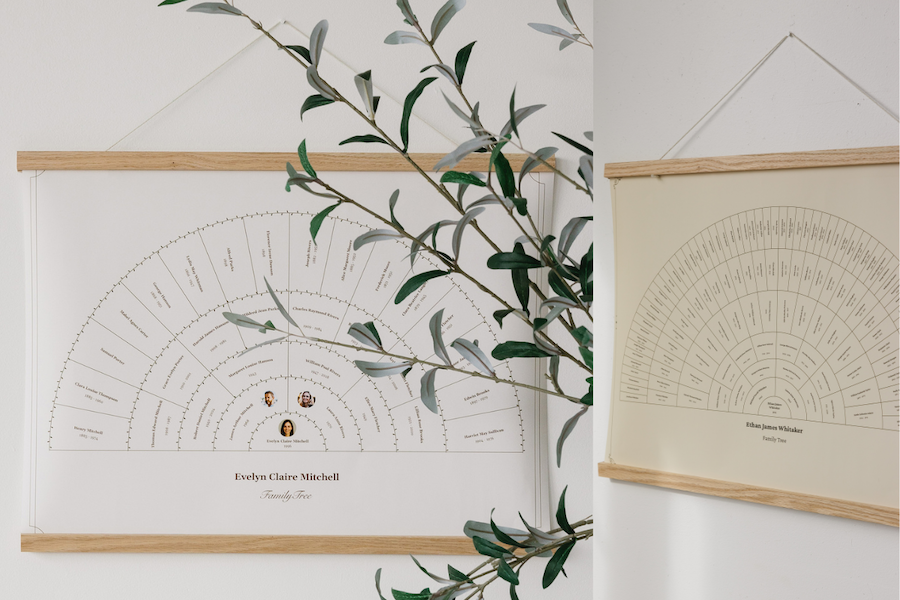

If you've ever sat at the kitchen table with a shoebox of photographs and an unfinished family tree, you know the feeling. There's always one more name to confirm, one more story you wish you'd written down, one more relative who would know exactly which cousin is standing in the back row. We've heard from so many of you that putting together a family history book is wonderful work, and that it can also be a lot to carry on your own.
That's why we're so pleased to introduce Collaboration on MyCanvas: a new way to invite the people who matter most into your book, so the story can be told together.
Why a Family History Book Is Better Together
Family history isn't really a solo project. The names, the dates, the little anecdotes that bring a page to life all live in different households. They are scribbled on the backs of old photos, tucked into the memory of the aunt who can tell you exactly what year the family moved to Queens. When you give your relatives a seat at the table, the book becomes richer, more accurate, and (let's be honest) a lot more fun to make.
Collaboration lets you invite the people you choose. Your sister, your cousin, your favorite aunt can view your draft, leave comments, and help shape the pages. You're still the author. They're simply along for the ride.
A Few Ways Families Are Using It
Every family has its own rhythm, but here are a few of our favorite ways to put Collaboration to work.
Ask the family detective to check the details. Most families have one. You know the relative I mean: the one who keeps the Bible records, the dates, the maiden names. Invite them to look over a few pages and leave a quick comment if something needs correcting. No more long email threads with screenshots attached.
Crowdsource the photos you don't have. Maybe your brother has the only copy of the 1972 reunion photograph. Maybe your daughter has the picture from your mother's eightieth birthday that you've been hunting for all year. Invite them into your book, point them to the page that needs filling, and let them tell you what they've got.
Plan a reunion book as a group. If you're working on something for an upcoming family reunion, give the planning committee a window into the draft. Each person can leave feedback on the pages they care about most, and you can keep everyone in the loop without printing a dozen practice copies.
Make it a team effort with your spouse. One of you writes the stories. The other handles the photographs. You both look at the final layout together over coffee on a Saturday morning, leaving little notes for each other right on the page. (We've seen this one work beautifully.)
Let the grandchildren in on it. If you have a grandchild who's good with computers and would love to help, this is a sweet way to spend an afternoon together. They learn a little about where they come from. You get a hand with the photo layouts. Everyone wins.
How It Works
You can open Collaboration in two places. From My Projects, look for the Collaborate button right next to Edit on the book you're working on. Or, if you're already inside the editor, click the Collaborate icon in the left sidebar. From there, type in an email address, and your invitation goes out. When your collaborator accepts, they can browse every page and leave comments on a specific photo, a particular line of text, or the page as a whole. You'll see their notes appear in a tidy panel on the side. When something has been taken care of, you can mark it resolved and move on.
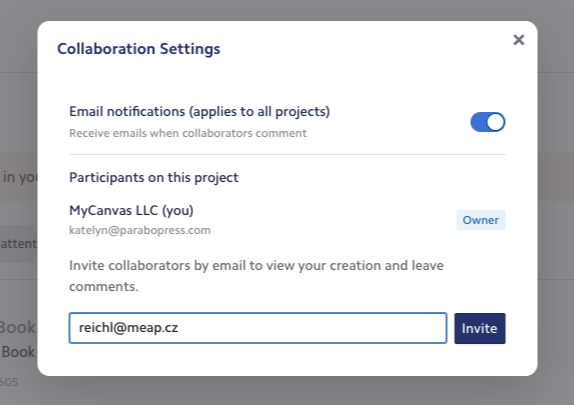
And that's the whole of it. No more long email threads or phone calls comparing versions. Everyone is looking at the same book, and the conversation happens right where it belongs: on the page itself.
Start Your Book Together
Family history is, in the end, a group project. The more voices you bring in, the truer the book becomes. Whether you're putting together a deep ancestry book that spans many generations, a short tribute to a beloved parent, or a keepsake to hand out at the next reunion, Collaboration is here to help you build it side by side.
Open a draft you're already working on, or start a fresh family history book today. Then invite the people who knew your story before you did.