
A well-made book invites people to explore it. Two features in MyCanvas make that easy: an automatic Table of Contents and an automatic Book Index. Here's how each one works, and how you can shape it to fit your book.
Table of Contents
Every book starts with an automatically generated Table of Contents, added right after the book is created. As you work, it updates on its own — so you don't have to keep track of page numbers by hand.
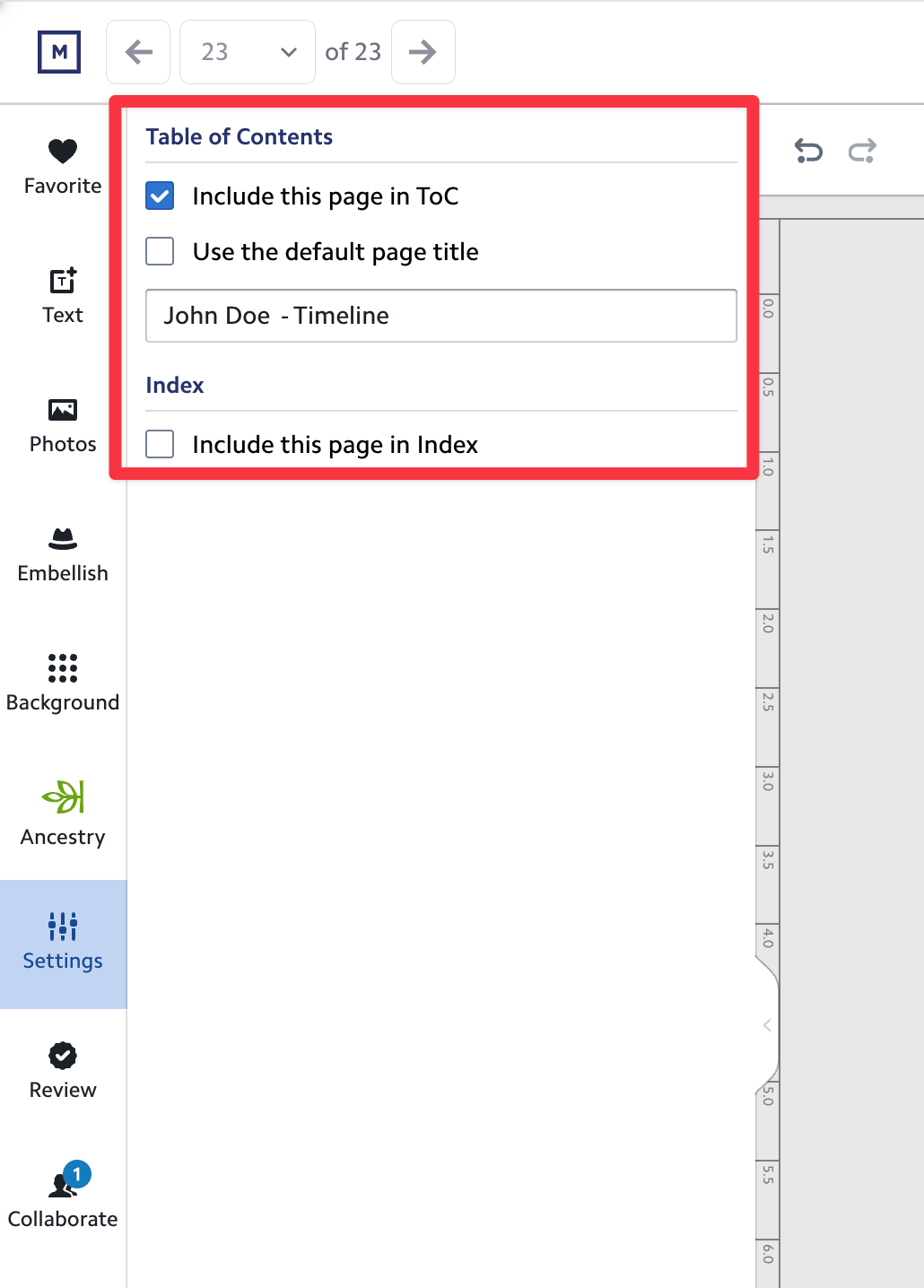
Of course, the automatic version won't always match exactly what you have in mind. That's why you stay in control. For any page in the editor, you can:
- Set a custom title for how that page appears in the Table of Contents, or
- Exclude the page entirely, so it doesn't show up there at all.
Book Index
We've also added a brand-new feature: an automatically generated Book Index. The Index lists every person mentioned in your book, along with the page numbers where they appear — a wonderful way to help family members find themselves and their loved ones.
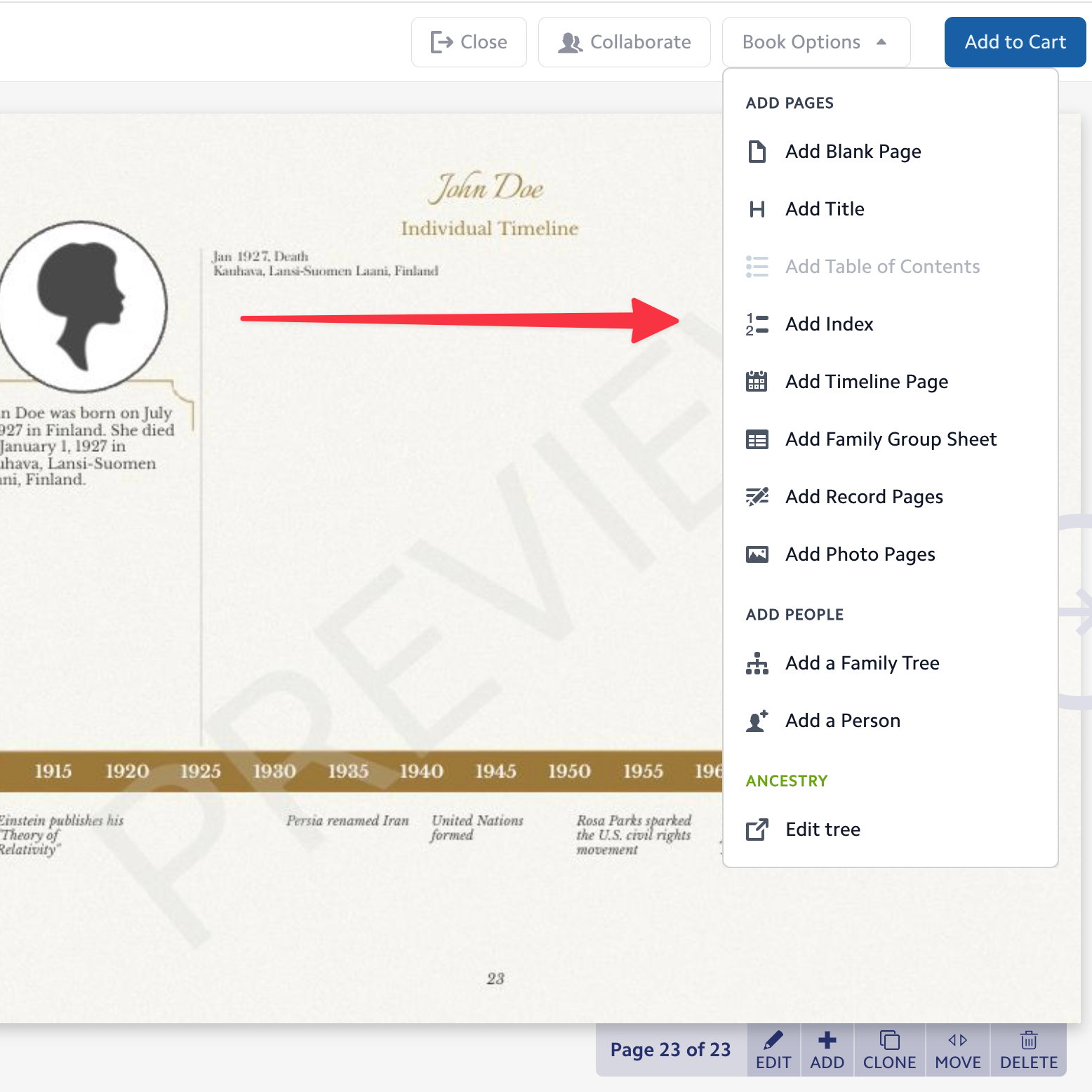
The Index is optional. You can turn it on at any time through Book Options. Once added, it appears at the very end of the book. Its position is fixed there, so it will always stay last, no matter how many pages you add afterward.
You can fine-tune the Index just like the Table of Contents. In each page's settings, you'll find a list of the people mentioned on that page. From there, you can:
- Remove someone you'd rather not include in the Index, or
- Add someone manually if a name is missing — for example, a person you added by hand.
Add them, or leave them out — it's up to you
Both the Table of Contents and the Index can be removed from your book at any time. Add them when they're helpful, set them aside when they're not — your book, your choice.